
Acnode Will Give You a Good Deal on Win11-Compatible Laptops
At Acnode, we are committed to providing top-quality laptops that meet the latest standards for Windows 11 compatibility. Our selection of devices ensures you get the best performance and features, tailored to the newest operating system. Whether you're upgrading your current setup or investing in new technology, Acnode offers competitive prices and excellent value to help you stay ahead in the digital world. Explore our range of Win11-compatible laptops and find the perfect match for your needs today!
Elevating Business Efficiency: Transitioning to Windows 11
In the realm of business, the choice of operating system can significantly impact productivity, security, and overall efficiency. As organizations strive to stay competitive in a rapidly evolving digital landscape, the transition to Windows 11 presents a compelling opportunity to enhance workplace capabilities and streamline operations. Let's explore why embracing Windows 11 is not just a software upgrade but a strategic move towards optimizing business performance.
Streamlined User Experience
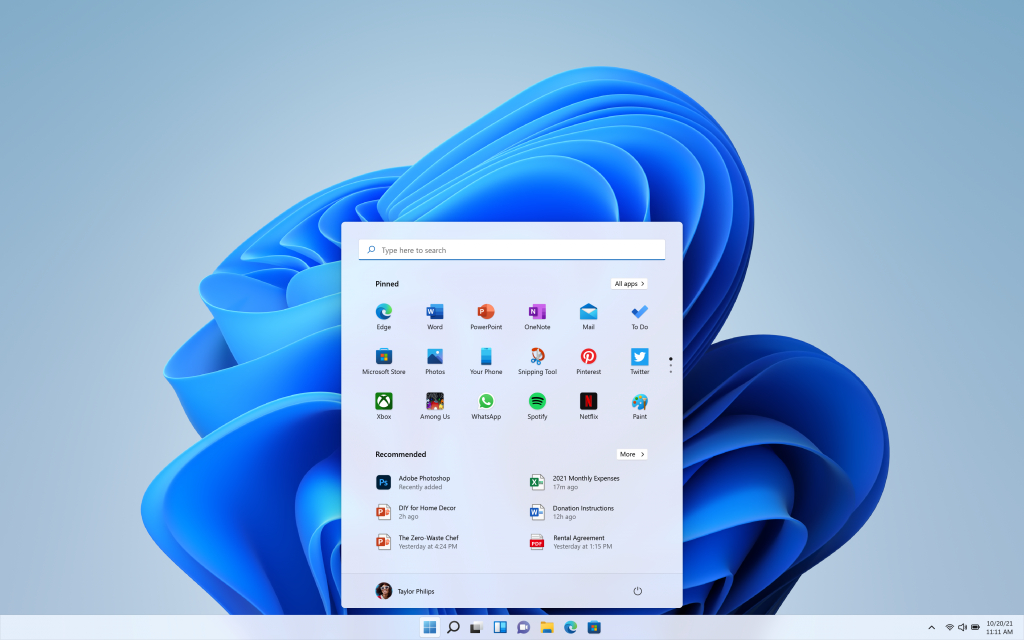
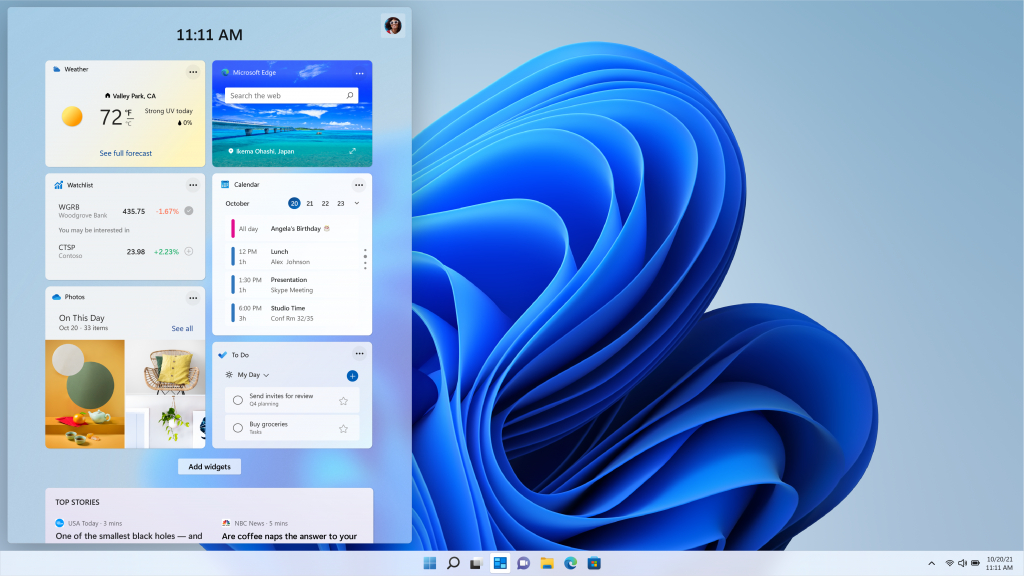
Windows 11 introduces a fresh and intuitive user interface designed to elevate productivity in the workplace. With a centered Start menu and streamlined taskbar, navigating through applications and accessing essential tools becomes more efficient. The revamped Snap Layouts and Snap Groups feature facilitate multitasking by organizing windows into customizable layouts, allowing employees to work seamlessly across multiple projects. This streamlined user experience translates into time savings and increased focus on critical tasks, ultimately driving business productivity.


Enhanced Collaboration Tools
In today's interconnected business environment, effective collaboration is essential for success. Windows 11 integrates Microsoft Teams directly into the taskbar, providing employees with a centralized platform for communication and collaboration. Whether it's instant messaging, video conferencing, or file sharing, Teams integration enables seamless collaboration across teams and departments. With the ability to initiate discussions and share documents directly from the taskbar, employees can collaborate in real-time, fostering innovation and driving business growth.
Advanced Security Features
Security breaches pose a significant threat to businesses of all sizes, making robust cybersecurity measures a top priority. Windows 11 enhances security with features such as Windows Hello, which provides secure biometric authentication, eliminating the need for passwords and reducing the risk of unauthorized access. Additionally, advanced hardware-based security features like Secure Boot and TPM 2.0 support bolster device integrity and protect against modern cyber threats. By prioritizing security, businesses can safeguard sensitive data, preserve brand reputation, and maintain regulatory compliance.
Compatibility and Performance Optimization
Smooth transition to a new operating system is critical for business continuity. Windows 11 ensures compatibility with a wide range of hardware configurations, minimizing disruption to workflows and minimizing downtime. The inclusion of the Windows App Store simplifies application management, allowing IT administrators to deploy and update business-critical software efficiently. Moreover, performance optimizations such as DirectStorage technology and Auto HDR support enhance user experience, particularly for tasks that demand high computational resources. By leveraging the performance benefits of Windows 11, businesses can maximize employee productivity and drive operational efficiency.
Seamless Integration with Business Ecosystem
Windows 11 seamlessly integrates with Microsoft's suite of productivity tools, including Microsoft 365 and Azure services, providing businesses with a comprehensive ecosystem for digital transformation. From cloud-based collaboration to AI-powered analytics, these integrated solutions empower organizations to innovate, adapt to market changes, and gain a competitive edge. Whether it's managing documents in OneDrive, analyzing data in Power BI, or automating workflows with Power Automate, Windows 11 enables businesses to harness the full potential of modern technology to drive growth and success.
In conclusion, the transition to Windows 11 represents more than just an upgrade; it's a strategic decision to elevate business efficiency and competitiveness in today's digital landscape. With its streamlined user experience, enhanced collaboration tools, advanced security features, and seamless integration with the business ecosystem, Windows 11 provides businesses with the foundation to thrive in a rapidly evolving market. By embracing Windows 11, organizations can unlock new opportunities for innovation, productivity, and growth, setting the stage for success in the digital age.
General system requirements for upgrading from Windows 10 to Windows 11
It's important to note that these are the general requirements provided by Microsoft. However, your device may have specific compatibility issues that could affect your ability to upgrade to Windows 11. Microsoft provides a PC Health Check tool to check if your device meets the Windows 11 requirements.
Contact Us
Fill out the form below to check if your workstations are compatible with Windows 11.
